 Hayom: Study
Today's Hayom Yom, every morning
Open Hayom: Study and it is already on today's entry. The app works out the Hebrew date and shows the Hayom Yom for that day, with the day's study portions above it.
There is nothing to look up and no calendar to check, which is the point: a short daily lesson that is simply there when you are.
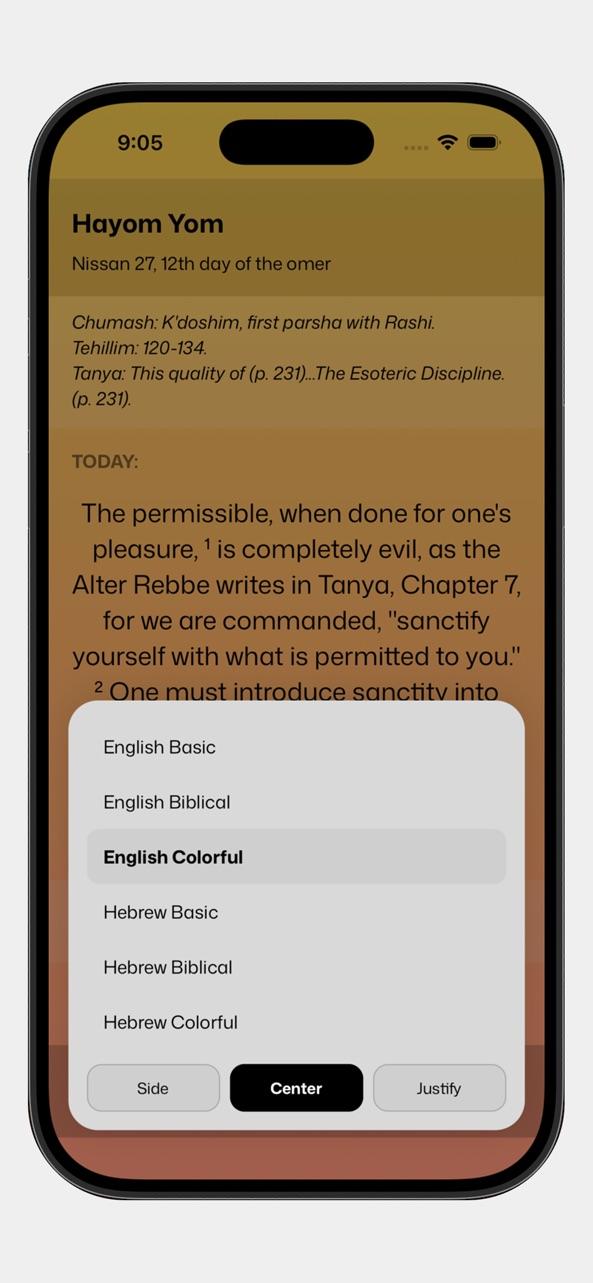
What a day looks like
- TODAY: the Hebrew date, with the day of the Omer or the festival where there is one.
- The day's Chumash with Rashi, Tehillim and Tanya portions.
- The Hayom Yom entry itself, with its footnotes.
- A button to read today's Tehillim without leaving the app.
Read it your way
Choose Hebrew or English, one of three reading styles, and how the text is aligned. The app remembers your choices, so tomorrow opens the same way.
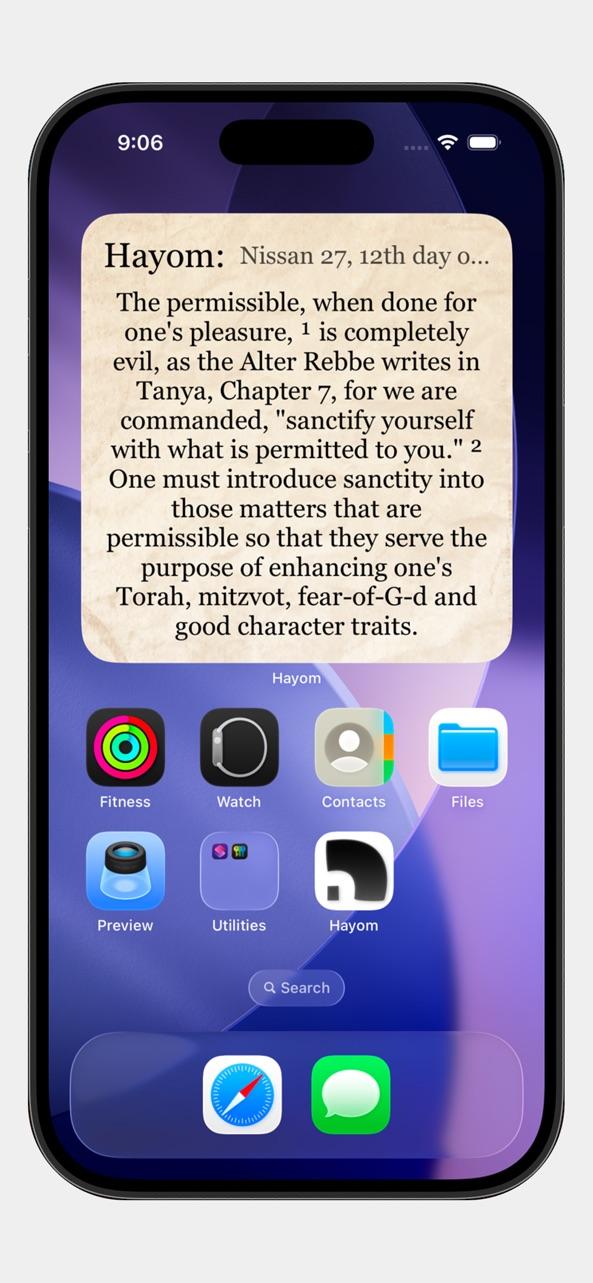
Also on your home screen
Add the Hayom widget and today's entry is on your home screen before you open anything.
Questions
How does the app know which entry is today's?
It reads the Hebrew date from your device's calendar day and looks up the entry for that day of the Hebrew month.
Is it free?
Yes. Hayom: Study is free on the App Store, with an optional way to support it.
Try it in Hayom: Study
Free on the App Store for iPhone and iPad. Requires iOS 15.1 or later.