 MusiciPhone and iPadFree
Chiptune Sequencer: C.H.I.P.
Write four channel chiptune with the sound of a 1989 handheld console
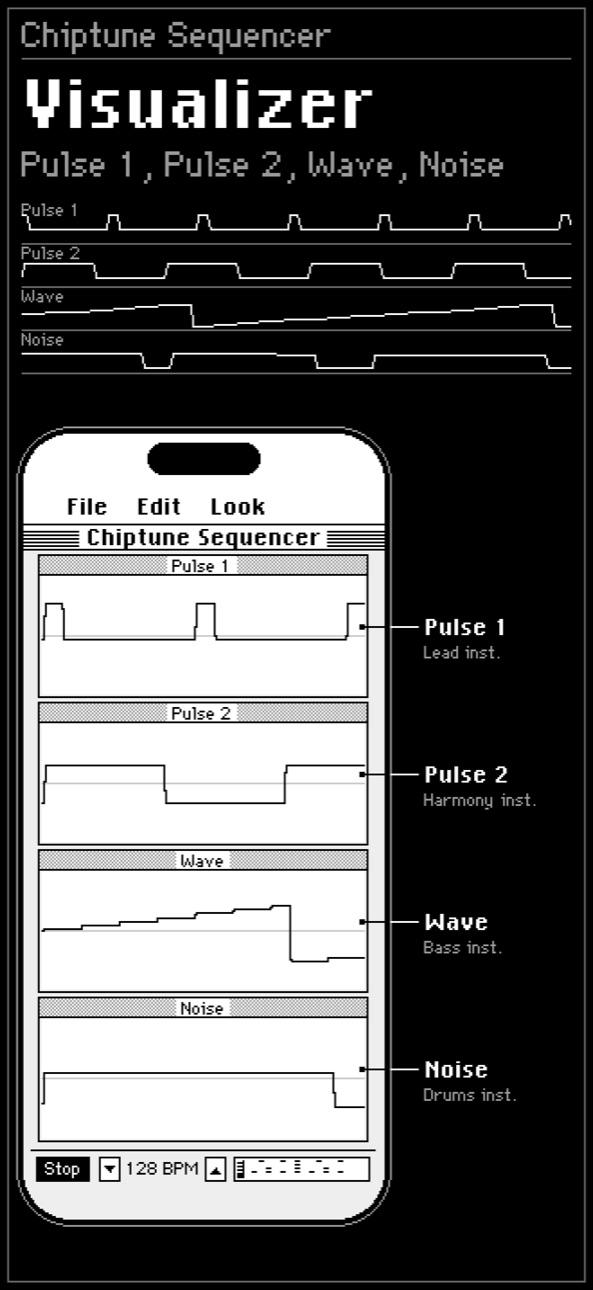
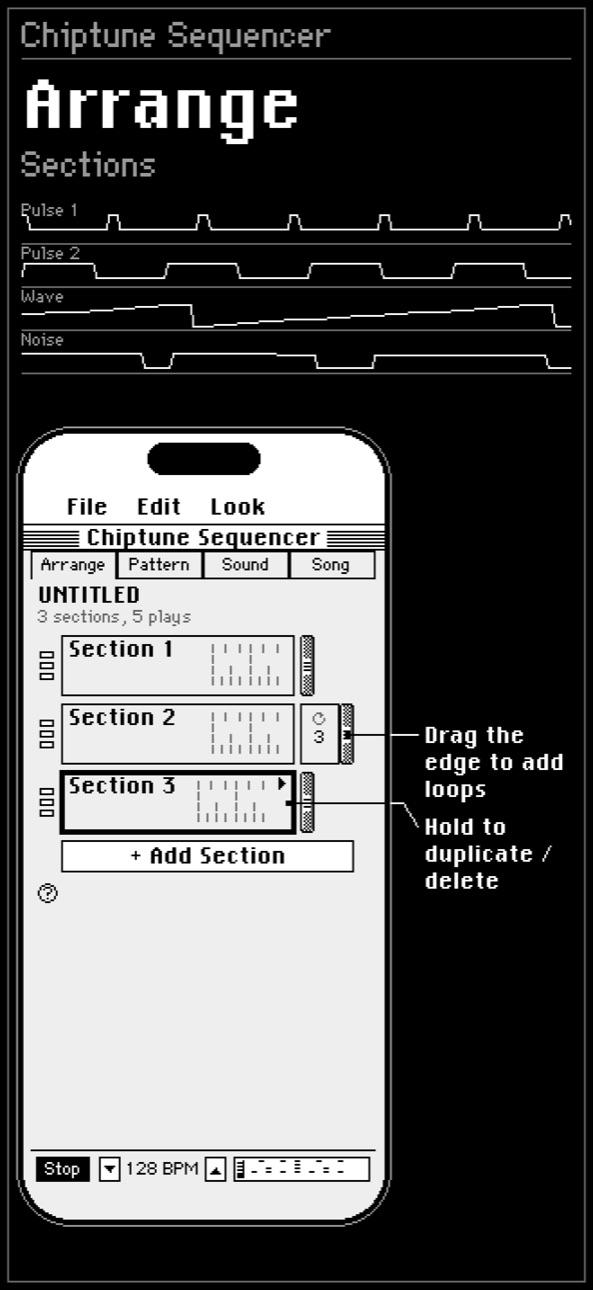
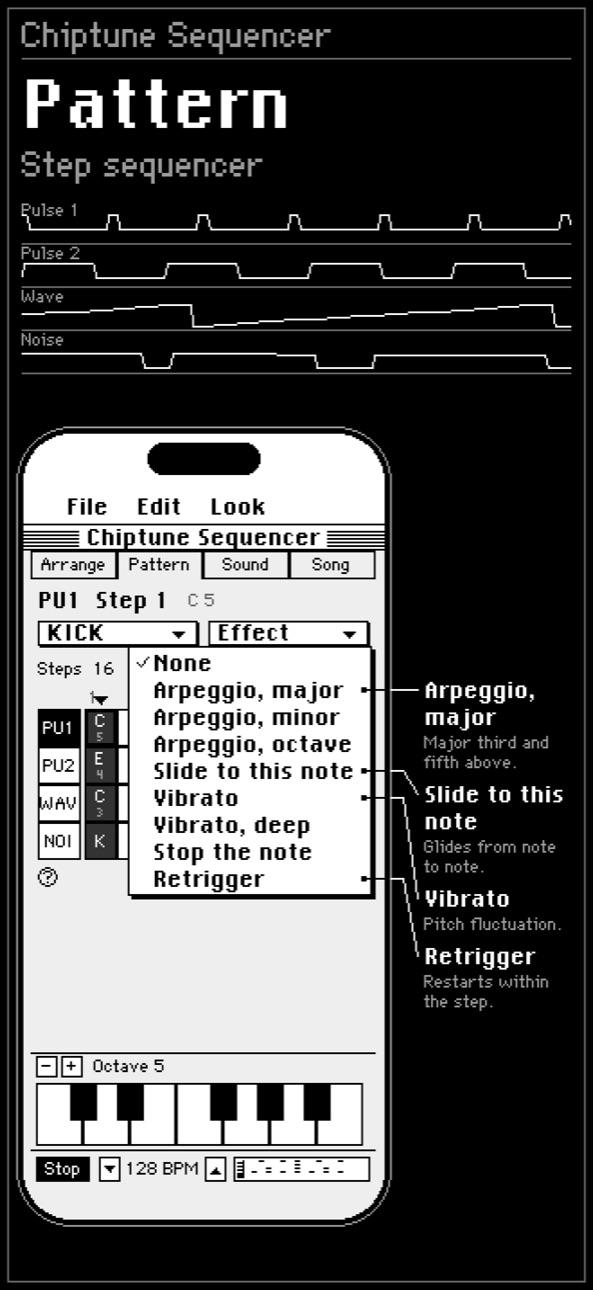
C.H.I.P. is a Chiptune Handheld Instrument Player: sequence and build four channel chiptune, the sound of a 1989 handheld console.
Two pulse channels, a wave channel you can shape and a noise channel, emulated at the register level so the controls mean what they meant on the original chip. Every sound is made as you play, and the whole interface is drawn a pixel at a time in the style of an early nineties desktop.
Features
Arrange and Pattern
- Arrange is your song: sections stack top to bottom and play in order. Drag one to move it, or drag its right edge to loop it.
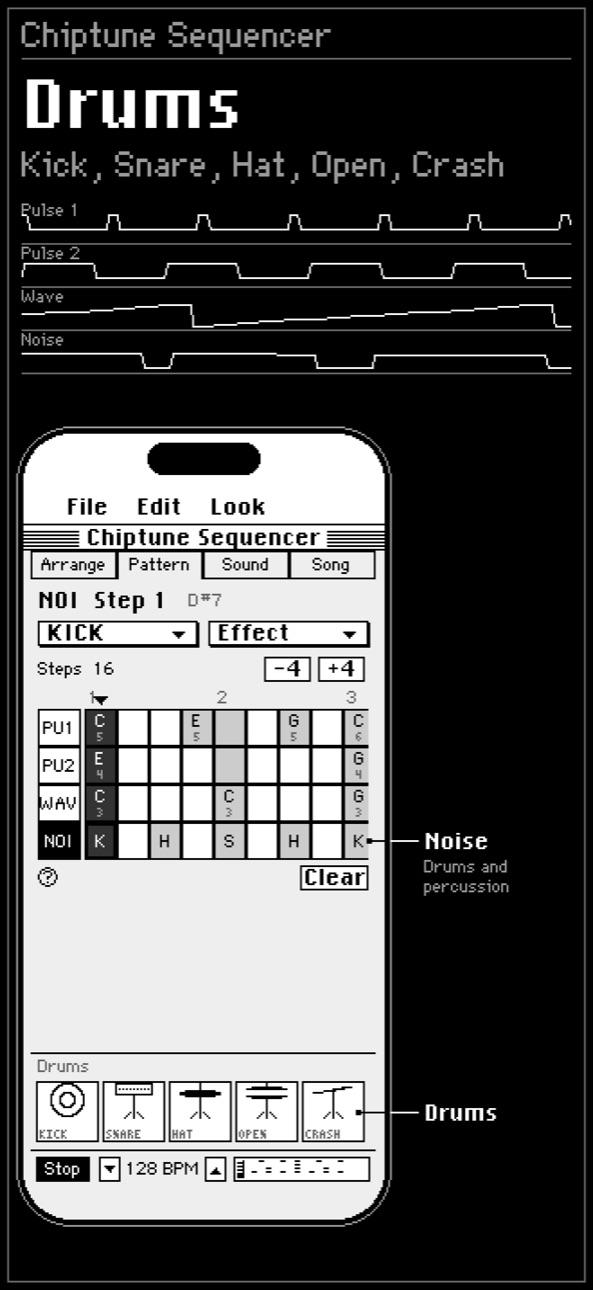
- Pattern is where notes go: four lanes down, time across. Tap a cell, then play a key or a drum pad to fill it.
- Effects come from a menu you can read, so you pick Arpeggio, major instead of memorising a code.
Sound
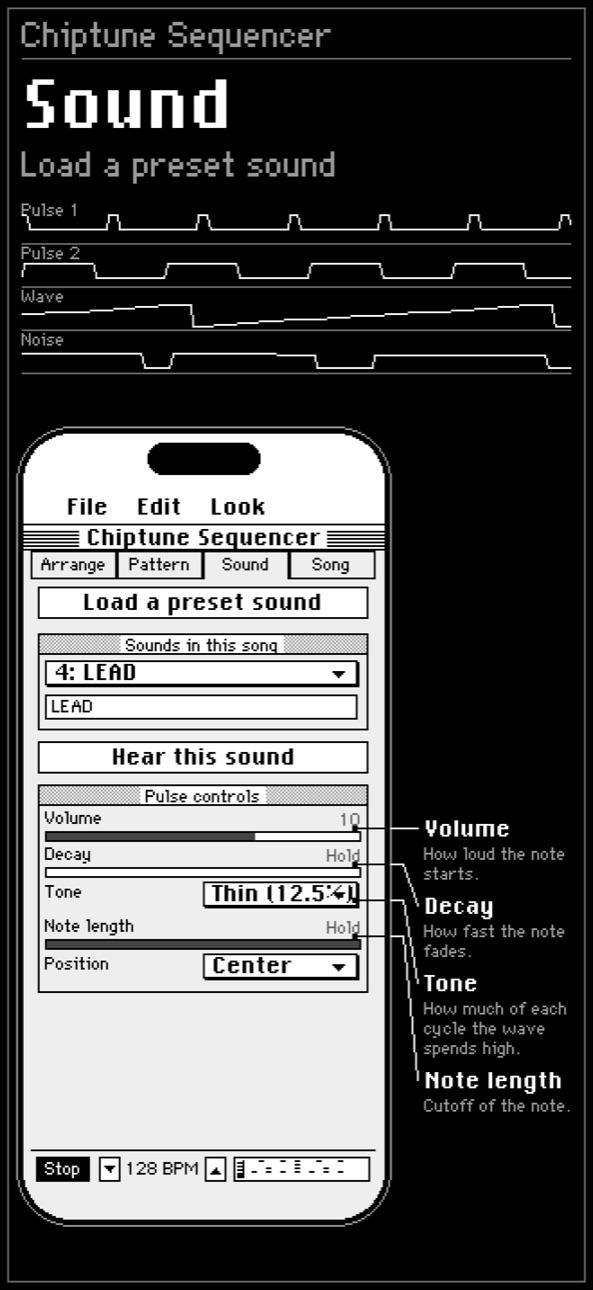
- Every control has a plain name, a sentence saying what it does, and a button to hear the result.
- A preset library if you would rather start from something that already works.
- Two pulse channels, a shapeable wave channel and a noise channel, emulated at the register level.
Song, MIDI and export
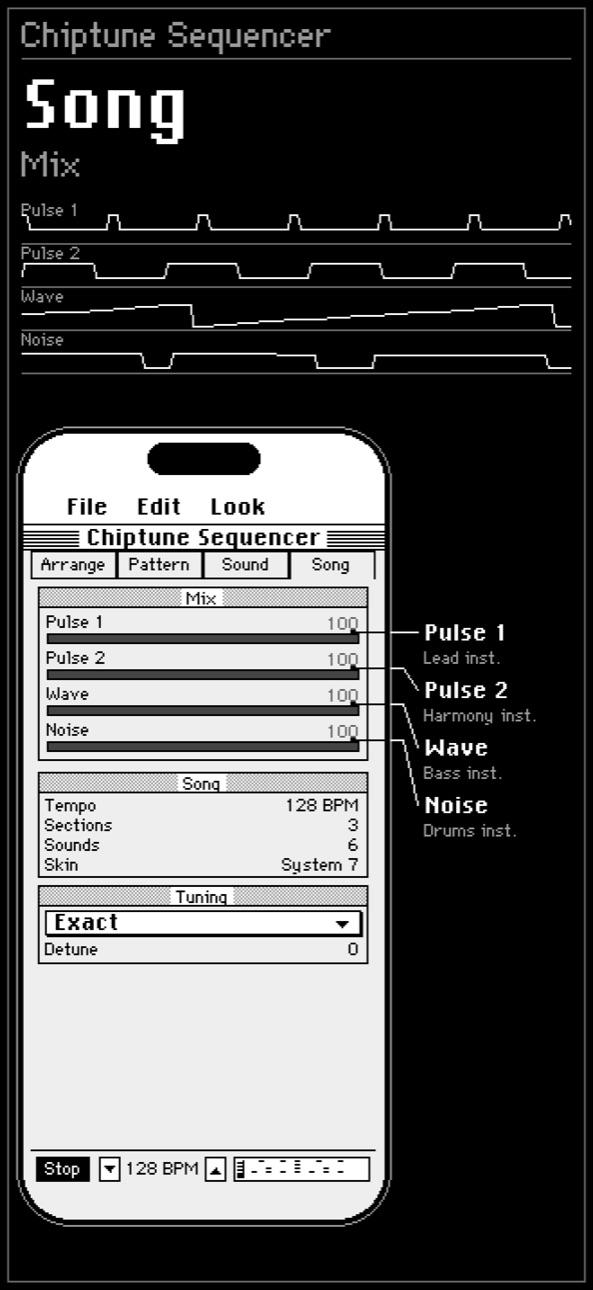
- Tempo, tuning, the mixer, saving and export in one place.
- Plug in a MIDI keyboard to play the instrument you are editing and write notes straight into the grid.
- Export a mix as a WAV, or the song as a MIDI file for whatever studio you use.
Made for the curious
- A compare screen lines up a recording of real hardware to the sample, matches levels and lets you hear just the difference.
- Songs and save files read and write in their original layouts, byte for byte.
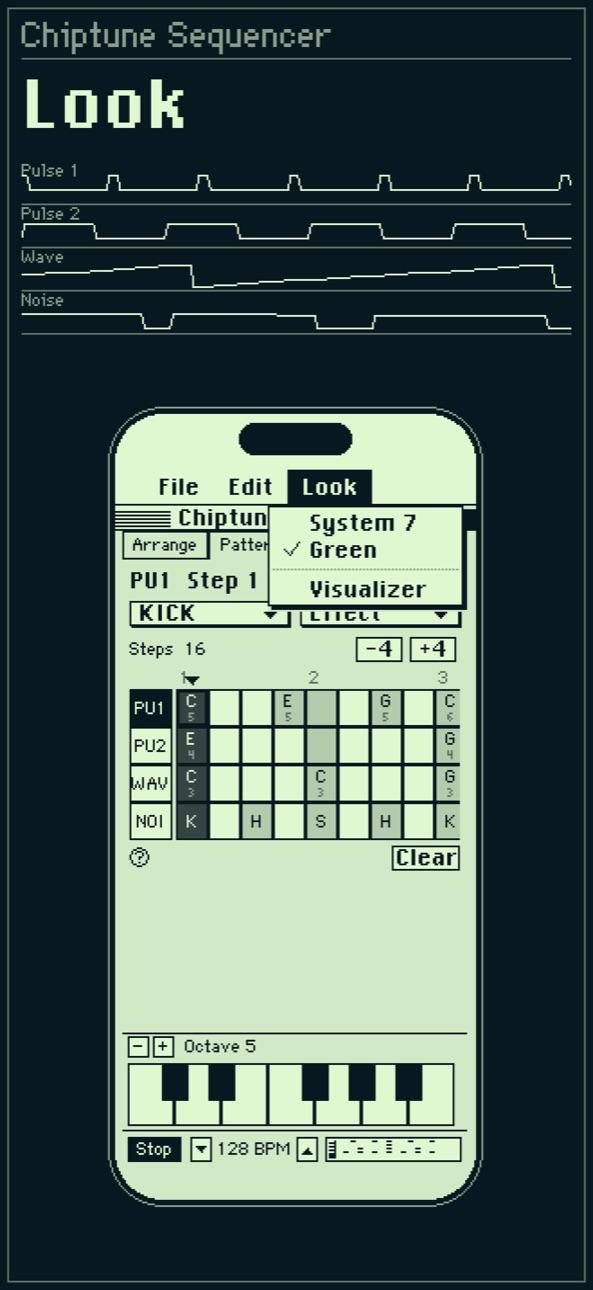
- The interface comes in grey, or behind a green LCD.
Explore Chiptune Sequencer: C.H.I.P.
- Chiptune maker Make chiptune on your iPhone
- Step sequencer A step sequencer with effects you can read
- Song arrangement Arrange a chiptune song in sections
- Drum machine 8-bit drums from the noise channel
- Synth and presets A chiptune synth with plain controls
- The four channels Two pulse, one wave, one noise
- MIDI keyboard Play and write with a MIDI keyboard
- Export WAV and MIDI Export your chiptune as WAV or MIDI
- Save files Open and save .sav and .lsdsng files
- Retro looks Early nineties desktop, or a green LCD
Frequently asked questions
What is C.H.I.P.?
C.H.I.P. (Chiptune Handheld Instrument Player) is a chiptune sequencer for iPhone and iPad. It lets you write four channel music with the sound of a 1989 handheld game console.
Is the chiptune sequencer free?
Yes. Chiptune Sequencer: C.H.I.P. is free to download on the App Store.
Does it use samples?
No. Every sound is made as you play. Nothing streams and there is no sample pack: two pulse channels, a wave channel and a noise channel are emulated at the register level.
Can I use a MIDI keyboard?
Yes. Plug in a MIDI keyboard to play the instrument you are editing and write notes straight into the pattern grid.
Can I export my songs?
Yes. Export a mix as a WAV file, or the song as a MIDI file to carry into another studio or DAW.
Do I need to know how a tracker works?
No. Every control has a plain name and a sentence saying what it does, and effects are picked from a readable menu. It is made for people who like retro sound and do not want a manual to get going.
Get Chiptune Sequencer: C.H.I.P.
Made by Tech With You. See all our apps or read our privacy policy.